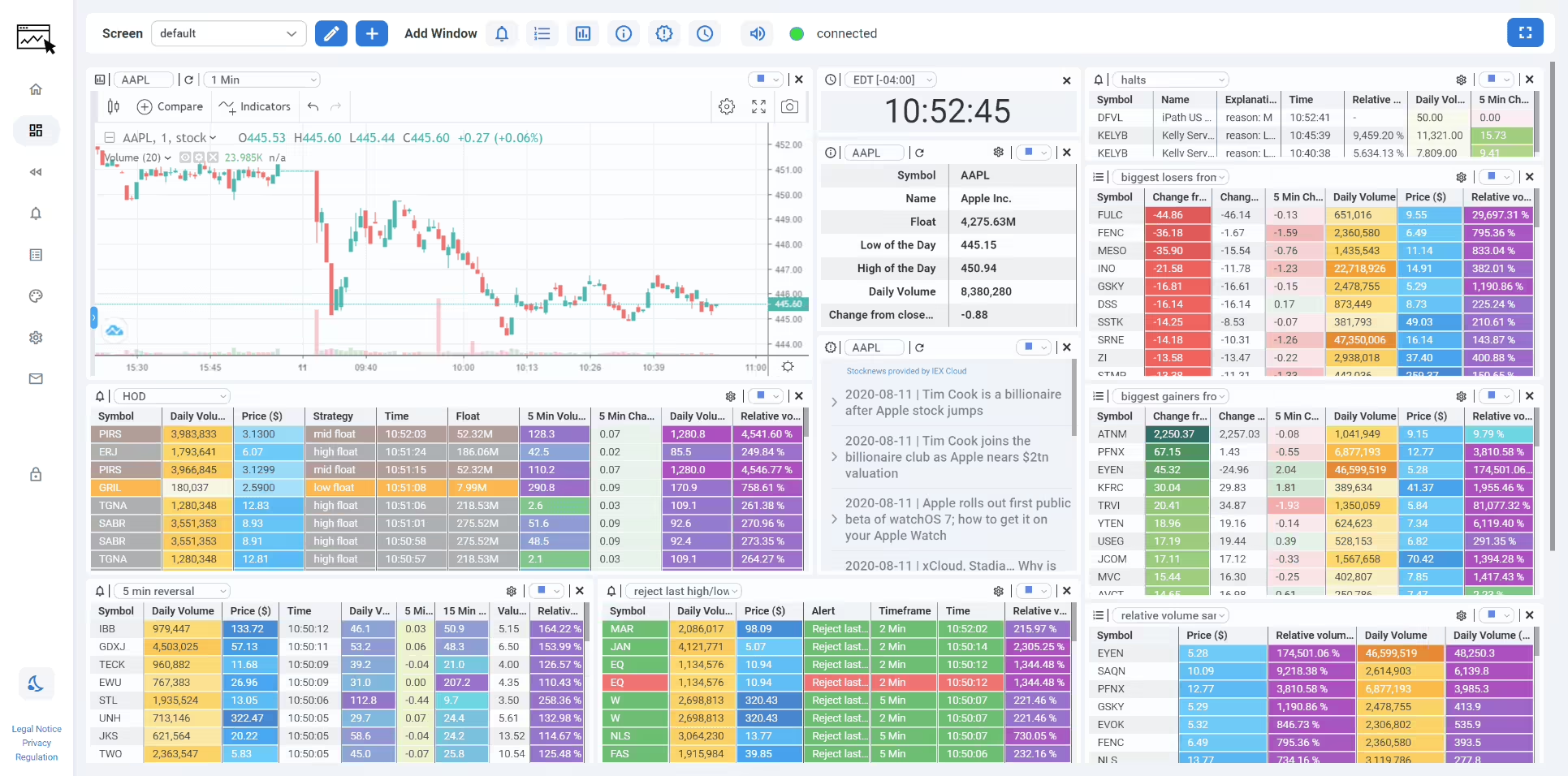
I’ve spent years staring at market scanners, and most of them either cost a small fortune or feel like they were designed in 2009. So when I started testing ChartsWatcher, I was genuinely curious whether a modern, customizable stock scanner could actually keep up with my day-trading workflow. Here’s my honest, hands-on ChartsWatcher review for 2026.
Quick note before we dive in: nothing in this article is financial or investment advice. A scanner is just a tool – it surfaces data, it does not tell you what to buy. Always do your own research (DYOR) and remember that trading carries real risk of loss.
1. What Is ChartsWatcher?
ChartsWatcher is a modern stock market scanner with real-time custom alerts, filters, charting, stock news and market data. Built by a German team (ChartsWatcher UG), it lets you freely arrange different tiles – scanners, toplists, alerts, charts, watchlists and newsfeeds – across multiple customizable dashboard screens. The whole idea is that you build your own trading cockpit instead of being locked into someone else’s fixed layout.
2. Who Is ChartsWatcher Best For?
✅ Active day traders who need real-time alerts
If you trade momentum, breakouts or gap-and-go setups, the sub-second refresh rates and custom alert configs are exactly what you want. I could build multiple alert strategies and watch them fire live.
✅ Traders who love a fully customizable layout
The tile-based system is the star here. I arranged toplists, charts and newsfeeds side by side and synced them to a channel so clicking a symbol updated everything at once.
✅ Budget-conscious traders wanting a free scanner
The free plan is genuinely usable for beginners – no time limit, dark theme, import/export configs. It’s a low-risk way to learn scanning before paying.
❌ Long-term buy-and-hold investors
If you buy an index fund once a quarter, a real-time scanner is overkill. This is built for people who watch intraday movement.
❌ Anyone wanting automated trade execution
ChartsWatcher scans and alerts – it doesn’t place trades for you. If you want a full auto-trading bot, this isn’t that.
3. Core Features Breakdown
3.1 Custom Filters & Alerts
You can stack multiple filters on a single alert or toplist to build complex strategies – think price action, volume spikes, relative volume, gappers and more. This is where the platform really shines for scanning.
3.2 Seven Tile Types & Multi-Screen Dashboards
Alert tiles, toplists, charts, watchlists, newsfeeds and more can be arranged freely. Higher plans unlock more dashboard screens and more windows per screen, so you can spread across multiple monitors.
3.3 Real-Time Charting & Refresh Rates
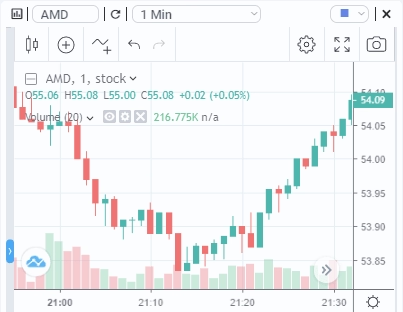
Refresh rates scale by plan – from 1-second on the free tier down to 500ms on Starter and tick-based charting on Pro. For fast movers, that difference is noticeable.
3.4 Stock News & Config Sharing
A built-in newsfeed pulls the latest headlines for chosen symbols, and you can export and import configurations to share full setups with other traders – handy for learning proven layouts.
4. Pricing
Pricing is shown per month billed annually, plus VAT (which varies by country). Note: ChartsWatcher displays localized pricing based on your region – the figures below appeared in Vietnamese Dong (₫) when I viewed the page from Vietnam, so what you see may be presented in your own local currency.
- Free Plan: 0₫ / $0 – 1s refresh, 2 dashboard screens, up to 10 windows, basic alert/toplist/watchlist configs, no time limit.
- Starter Plan: ~657,026₫/month (paid annually), plus VAT – 500ms refresh, 4 screens, 15 windows, more configs.
- Pro Plan: ~1,971,605₫/month (paid annually), plus VAT – tick-based charting, up to 20 screens, 30 windows, 50 alert/toplist configs, backtesting.
Because pricing is region-localized, always confirm the exact amount in your currency on the checkout page before subscribing.
5. Pros & Cons
Pros: Genuinely customizable tile layout; powerful stacked filters and alerts; capable free plan with no time limit; both dark and light themes; config import/export for sharing setups; faster refresh rates on paid tiers.
Cons: Overkill for long-term investors; no automated trade execution; localized pricing can be confusing at first; the sheer number of options has a learning curve for beginners.
6. ChartsWatcher vs Trade Ideas
Trade Ideas is the big name in scanning, famous for its AI-driven “Holly” and a premium price tag. ChartsWatcher takes a different angle: it hands you the building blocks and lets you design your own scans and dashboards, with a free tier to start. If you want AI to suggest trades, Trade Ideas leans that way; if you want full manual control over a customizable cockpit at a lower entry cost, ChartsWatcher is the more flexible pick.
7. Final Verdict: Is ChartsWatcher Worth It in 2026?
For active traders who value control and real-time alerts, ChartsWatcher is one of the better-value scanners I’ve tested. The free plan alone makes it worth trying, and the paid tiers unlock serious speed and depth. It won’t suit passive investors, and it’s not an auto-trader – but as a pure scanning and alerting cockpit, it earns a spot in my toolkit.
Frequently Asked Questions
Is ChartsWatcher free?
Yes, there’s a free plan with no time limit that includes a 1-second refresh rate, basic configs and both themes. Paid plans add speed and more configs.
Does ChartsWatcher place trades for me?
No. It’s a scanner and alert platform – it surfaces opportunities and news, but you execute trades yourself through your own broker.
What markets does ChartsWatcher cover?
It focuses on stock market scanning with real-time data, charting and news for chosen symbols.
Why is the price shown in a different currency?
ChartsWatcher localizes pricing by region, so you may see your own currency plus VAT. Always confirm the final amount at checkout.
Is ChartsWatcher good for beginners?
The free plan is a great, low-risk way for beginners to learn scanning, though the many options do take some time to master.
👉 Where to Get ChartsWatcher
You can explore the scanner, try the free plan and check current pricing here: Visit ChartsWatcher.
Affiliate disclosure: This post contains an affiliate link. If you subscribe through it, I may earn a small commission at no extra cost to you. This article is for informational purposes only and is not financial or investment advice – trading involves risk, so always do your own research.