I’m a chronic tab-hoarder with the attention span of a goldfish, so productivity apps live and die on whether they actually keep me focused. FocusCommit promises to combine a Pomodoro timer, a Kanban board, and the GTD method in one place. I put it to the test — here’s my honest FocusCommit review for 2026.

1. What Is FocusCommit?
FocusCommit is a productivity app that integrates three proven systems — a Pomodoro timer, a personal Kanban board, and the Getting Things Done (GTD) methodology — into a single tool to help you stay focused and meet your goals. Instead of bouncing between a separate timer, task list, and project board, you organize, list, and time your work in one app that syncs across devices. It’s been trusted by 200,000+ users since 2019, with 200k+ active downloads and 1,500+ ratings.
2. Who Is FocusCommit Best For?
✅ People who struggle with distraction and focus
If you can’t concentrate for long stretches, the structured Pomodoro approach — work sprints with breaks — is exactly the scaffolding you need.
✅ Fans of GTD and personal Kanban
If you already think in terms of Getting Things Done or Kanban boards, FocusCommit bakes both methodologies right in, so you’re not bolting systems together.
✅ Multi-device workers who want sync
With Android, iOS, and desktop apps that sync seamlessly, it suits people who plan on a laptop and execute on their phone.
❌ People who want a deep team project-management suite
FocusCommit is built for personal productivity, not large-team collaboration with assignments and reporting.
❌ Anyone who finds timers stressful
The Pomodoro method is the heart of the app; if countdown timers add pressure rather than relieve it, it may not click for you.
3. Core Features Breakdown
3.1 Smart, Customizable Pomodoro Timer
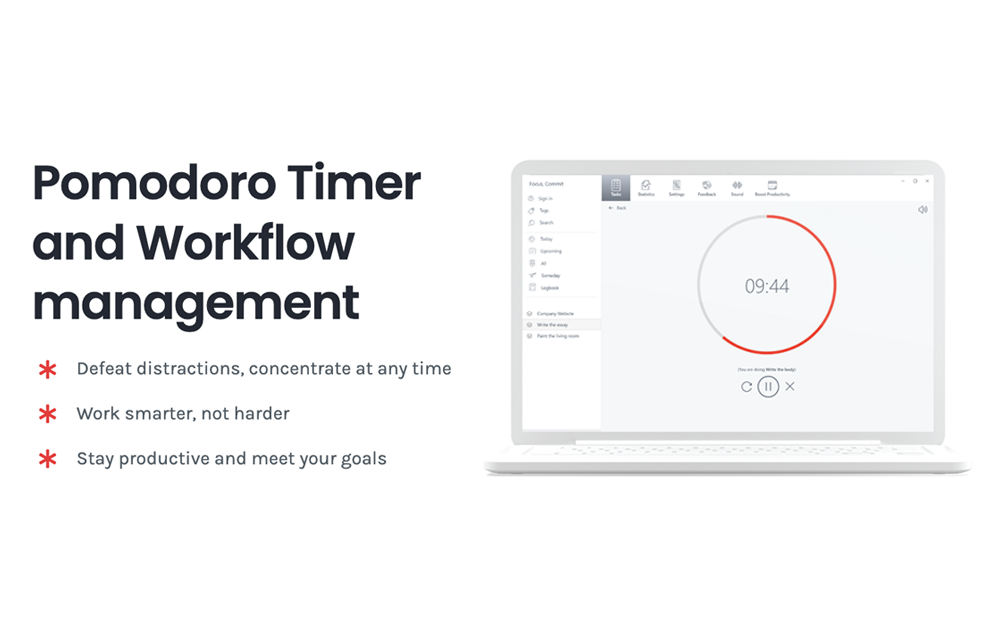
The core feature. A customizable Pomodoro timer that can stay always-on-top of other windows, helping you defeat distractions and concentrate at any time in focused work sprints.
3.2 Personal Kanban Board
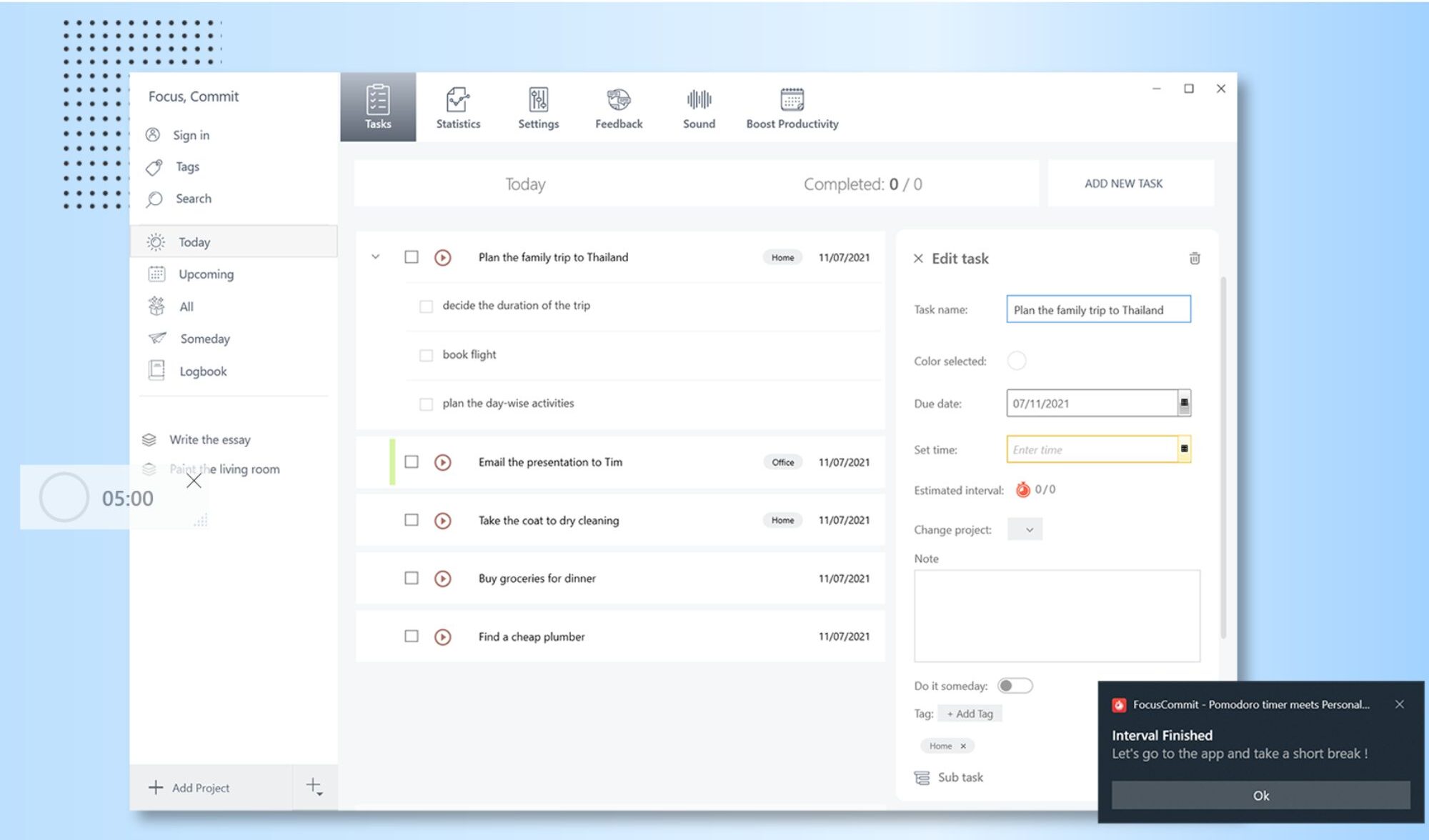
Visualize your progress and streamline tasks with a personal Kanban board, including the ability to limit work in progress — a key principle for actually finishing things instead of starting ten.
3.3 Full GTD Integration
FocusCommit integrates the Getting Things Done methodology, so you can capture, organize, and process tasks systematically rather than keeping everything in your head.
3.4 Curated White Noise & Cross-Device Sync
Premium curated white noise selections help you sink into concentration, and FocusCommit syncs seamlessly across all your devices so your tasks and reminders are everywhere you are.
4. Pricing
FocusCommit is available across desktop, Android, and iOS, and offers both free access and a Premium tier that unlocks extras like the curated white noise library and advanced features. Exact Premium pricing can change and isn’t fixed on the homepage, so check FocusCommit’s official pricing page for the current plans and rates. Given it’s a personal-productivity app, the Premium cost is modest relative to all-in-one alternatives.
5. Pros & Cons
Pros: Combines Pomodoro, Kanban, and GTD in one app; always-on-top timer to fight distraction; limit work-in-progress to actually finish tasks; curated white noise; syncs across desktop, Android, and iOS; trusted by 200,000+ users since 2019.
Cons: Built for personal productivity, not team management; Pomodoro-centric approach won’t suit everyone; some best features sit behind Premium; pricing details require a visit to the site.
6. FocusCommit vs Standalone Pomodoro Timers
Plenty of free Pomodoro apps just count down 25 minutes. FocusCommit’s advantage is integration: the timer is tied to a Kanban board and a GTD workflow, so your focus sessions are connected to your actual task system instead of floating on their own. If all you want is a bare timer, a free standalone app works; if you want your focus, tasks, and method to live in one synced place, FocusCommit is the more complete solution.
7. Final Verdict: Is FocusCommit Worth It in 2026?
For anyone whose productivity hinges on staying focused, my verdict is yes — FocusCommit smartly bundles three of the most effective systems (Pomodoro, Kanban, GTD) into one cross-device app, and the always-on-top timer plus work-in-progress limits genuinely help you finish what you start. It’s a personal-productivity tool, not a team suite, so set expectations accordingly. With a free tier to try and 200,000+ users behind it, it’s an easy app to recommend for distraction-prone workers and students.
Frequently Asked Questions
What methods does FocusCommit use?
It combines the Pomodoro technique, personal Kanban, and the Getting Things Done (GTD) methodology in a single app.
Is FocusCommit available on mobile?
Yes — it has Android and iOS apps plus desktop, and syncs seamlessly across all your devices.
Is there a free version?
Yes, FocusCommit offers free access, with a Premium tier that unlocks extras like curated white noise and advanced features.
Can the timer stay on top of other windows?
Yes. The Pomodoro timer can stay always-on-top so it keeps you focused while you work in other apps.
How many people use FocusCommit?
It’s been trusted by 200,000+ users since 2019, with 200k+ active downloads and over 1,500 ratings.
👉 Where to Get FocusCommit
If you want a single app that combines Pomodoro, Kanban, and GTD to keep you focused, you can check it out here: Start focusing with FocusCommit.
Affiliate disclosure: This post contains an affiliate link. If you sign up through it, I may earn a commission at no extra cost to you.