Running a small business means you rarely have a dedicated support team, and every customer question that lands after hours is one you answer yourself. I set up Kotae to see whether an AI chatbot could realistically handle front-line support without a ticketing system or extra headcount. Here’s my honest, hands-on review.
1. What Is Kotae?
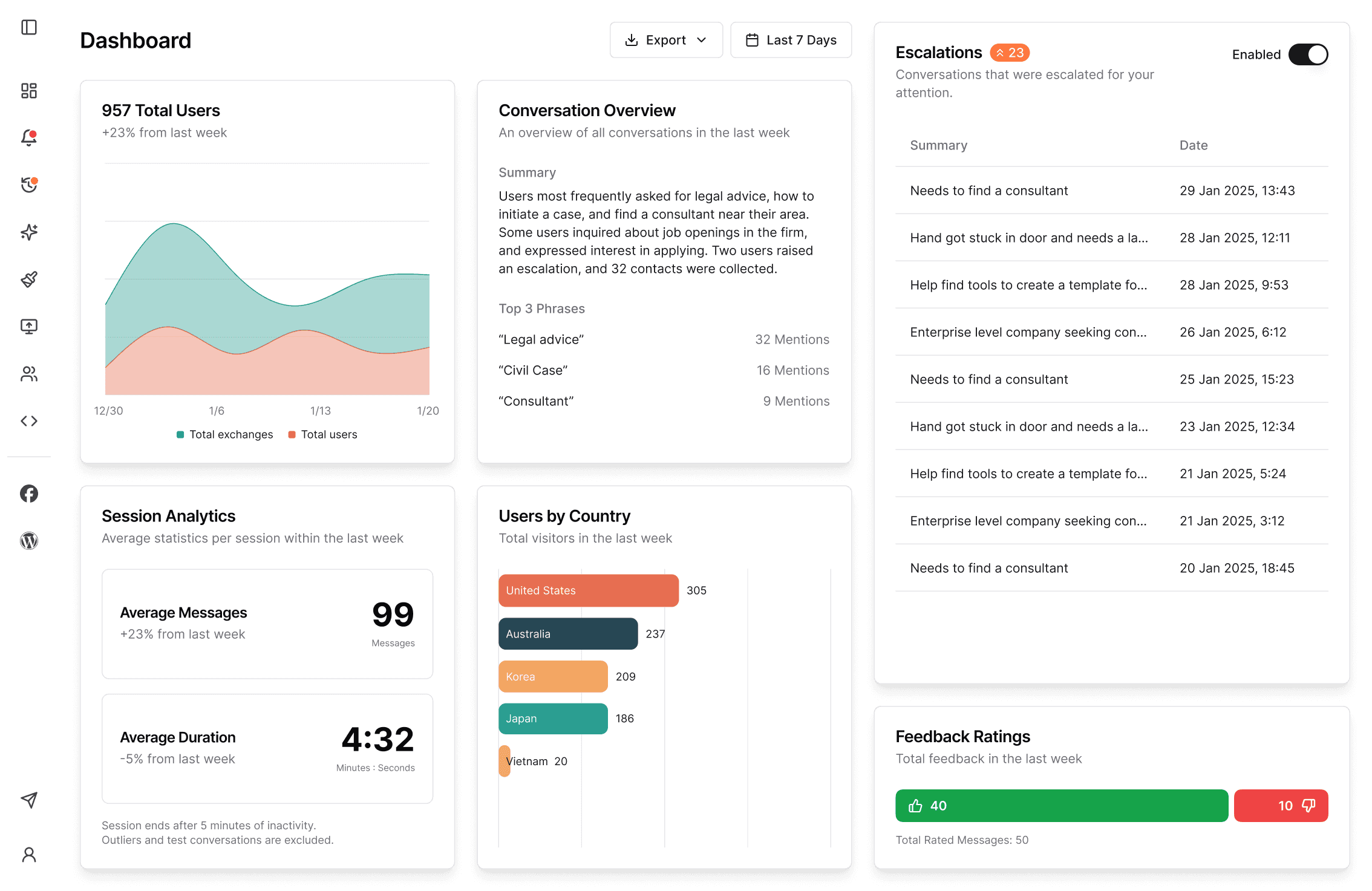
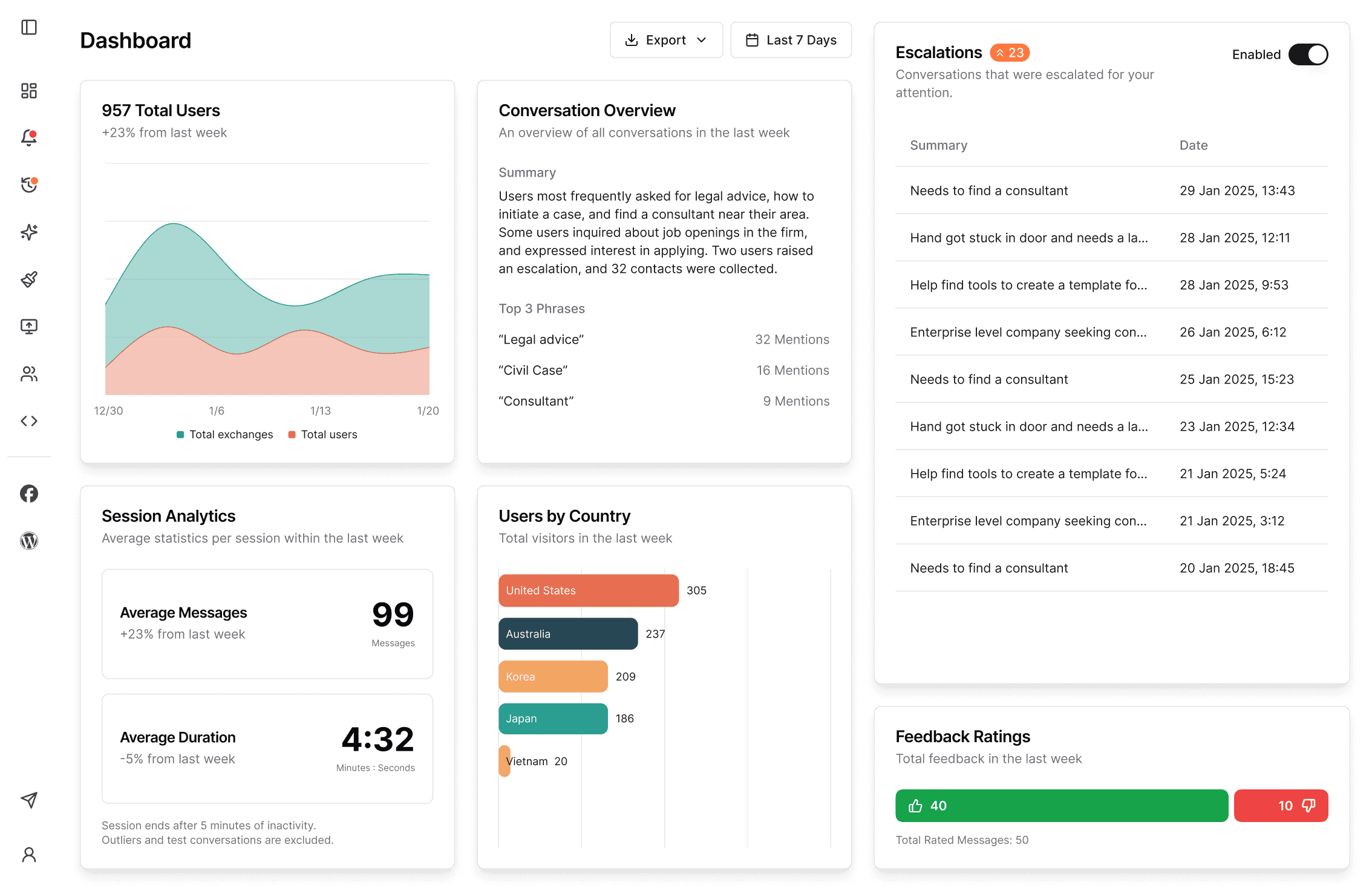
Kotae is an AI chatbot built to provide front-line customer support for businesses that don’t have dedicated support teams or ticketing tools. You train it on your website content and uploaded files, customize it to match your brand, and publish it to your site. From there it answers incoming customer inquiries automatically, escalates when needed, and gives you analytics on what people are asking. The pitch is simple: better support with zero extra work.
2. Who Is Kotae Best For?
✅ Solo founders and small business owners
If you’re the person answering every DM and email, Kotae is designed to take the repetitive questions off your plate.
✅ Local and service businesses
Shops, clinics, and service providers with a set of common questions (hours, booking, pricing) get quick wins by training the bot on existing pages.
✅ Teams that want a lead-capture funnel
The Pro tier adds a lead-capture form and escalations, so the chatbot can qualify visitors and hand off warm leads.
❌ Enterprises with complex ticketing needs
If you already run a full helpdesk with SLAs and deep integrations, a lightweight chatbot won’t replace that stack.
❌ Businesses needing dozens of trained domains
Training is capped per tier (single-URL on Starter), so very large multi-site operations may hit limits.
3. Core Features Breakdown

3.1 Train on your business
You point Kotae at your website URLs and upload files, and it learns your business so answers reflect your actual content rather than generic responses.
3.2 Brand customization
You can match the chat bar, welcome message, brand color, custom labels, and preset questions to your site’s look and feel.
3.3 Escalations & lead capture
When the bot can’t resolve something it escalates, and the lead-capture form (Pro) turns conversations into contacts you can follow up with.
3.4 Analytics, integrations & voice
You get conversation analytics, integrations including Facebook Messenger and MCP, and on the top tier real-time voice chat.
4. Pricing
Kotae has a 30-day free trial with no credit card required. Paid plans (monthly / billed annually) are:
- Starter — $19/mo, or $12/mo billed annually ($156/year). 1,000 answers per month, single-URL training.
- Pro — $37/mo, or $25/mo billed annually ($300/year). 4,000 answers per month, lead-capture, escalations, Facebook Messenger.
- Pro + Voice — $149/mo, or $99/mo billed annually ($1,188/year). 8,000 answers per month plus real-time voice chat.
There’s also an Enterprise option for more flexibility — you contact their team for a custom quote. Annual billing is the clear discount, cutting the Starter and Pro rates by roughly a third.
5. Pros & Cons
Pros: Genuinely fast to set up and deploy; trains on your own content for accurate answers; solid brand customization; 30-day free trial with no card; escalations and lead capture; real-time voice on the top tier; annual billing saves ~33%.
Cons: Answer limits per tier can be tight for high-traffic sites; Starter is single-URL training only; not a replacement for a full enterprise helpdesk; quality depends on how well you train it.
6. Kotae vs Chatbase
Chatbase is a popular AI chatbot builder aimed at developers and teams that want deep customization and API access. Kotae is more opinionated and small-business-friendly — it emphasizes quick training on your website, brand styling, escalations, and a genuinely long 30-day free trial. If you want maximum flexibility and are comfortable configuring things yourself, Chatbase is strong; if you want a support bot live on your site this afternoon with minimal fuss, Kotae is the smoother path.
7. Final Verdict: Is Kotae Worth It in 2026?
For small business owners who are their own support team, Kotae hits the sweet spot: quick to train, easy to brand, and priced sensibly — especially on annual billing. The 30-day free trial with no credit card means you can prove it on your own traffic before committing. It’s not built to replace an enterprise helpdesk, but for front-line support without extra work, it’s a well-judged tool for 2026.
Frequently Asked Questions
Does Kotae need a credit card to try?
No. There’s a 30-day free trial with no credit card required.
How is Kotae trained?
You train it on your website URLs and uploaded files so its answers reflect your actual business content.
How much does Kotae cost?
Starter is $19/mo ($12/mo annually), Pro is $37/mo ($25/mo annually), and Pro + Voice is $149/mo ($99/mo annually). Enterprise is custom-quoted.
Can Kotae capture leads?
Yes — the Pro tier and above include a lead-capture form plus escalations to route conversations you need to handle personally.
Does Kotae integrate with other tools?
Yes, it offers integrations including Facebook Messenger and MCP, plus conversation analytics.
👉 Where to Get Kotae
You can start a 30-day free trial (no credit card) here: Try Kotae free.
Disclosure: This post contains an affiliate link. If you sign up through it, I may earn a commission at no extra cost to you.