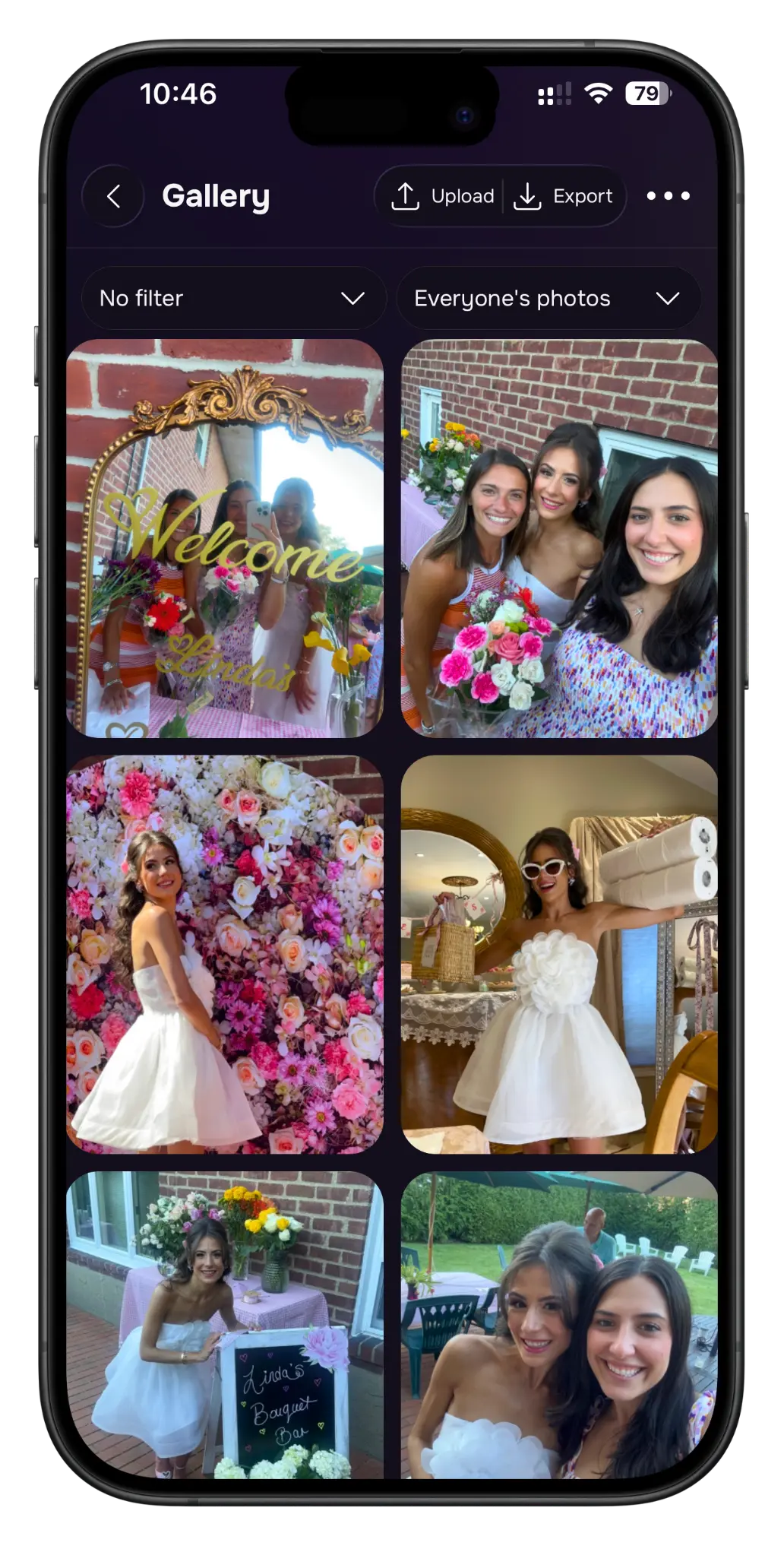
I’ve been to enough weddings where the best photos were the candid ones guests snapped on their phones — and then vanished into 40 different camera rolls forever. Lense promises to fix exactly that. As someone who helps plan events, I dug into whether it actually delivers. Here’s my honest Lense review for 2026.
1. What Is Lense?
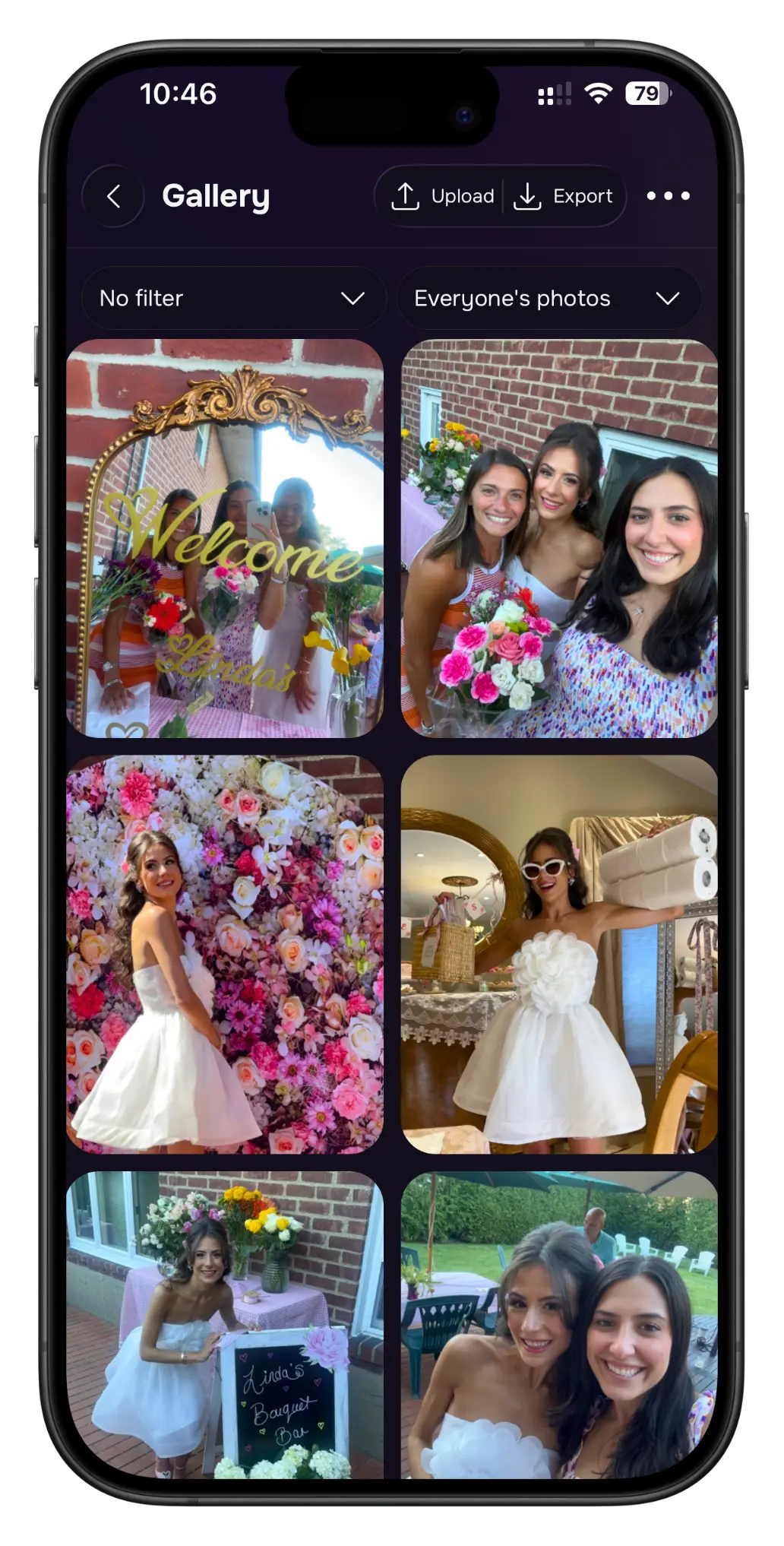
Lense is a digital disposable camera app for events — weddings, parties, holidays. The idea: guests scan a QR code, an instant disposable camera pops up on their phone (no app download or registration needed), and every photo and video they take flows into one shared album. You can reveal photos instantly, on a delay for that anticipation effect, or keep them private until you approve. It’s been used by 100,000+ couples and event organizers and is rated 4.9 from 3,000+ ratings.
2. Who Is Lense Best For?
✅ Couples planning a wedding
This is the core use case. You get every guest’s perspective of your day in one album, with a fun delayed-reveal option that builds excitement.
✅ Party and event hosts
Birthdays, reunions, corporate events — anywhere you want guests capturing moments without nagging them to ‘send me your photos’ afterward.
✅ Hosts who want zero friction for guests
Because there’s no app download or registration, even the least tech-savvy guest can scan a QR code and start shooting. That’s the killer feature.
❌ People who only want professional, edited photos
Lense captures authentic guest perspectives, not polished pro shots. It complements a photographer rather than replacing one.
❌ Anyone needing permanent guaranteed cloud hosting
Photos are stored for up to a year in the cloud; as host you get a downloadable copy to keep forever, but plan to download it.
3. Core Features Breakdown
3.1 QR-Code Disposable Camera, No App Needed
Guests scan a printable QR code and an instant camera opens right on their phone — no downloads, no sign-ups. They can also upload existing shots from their camera roll.
3.2 One Shared Album with Reveal Control
Everything lands in a single shared album. You choose delayed, instant, or private reveal, and you control which photos are shared — including reviewing captures before anyone else sees them.
3.3 Live Photo Wall
Connect a screen at your venue and every guest photo appears live the moment it’s taken — no delay, no app. It’s included free with every Lense event.
3.4 Photos, Videos & Effects
Lense now supports video as well as photos, plus a range of effects from vintage to modern to give your captures a consistent look. Albums are one-click downloadable.
4. Pricing
Lense is a per-event purchase rather than a subscription, with optional add-ons, and reviewers consistently describe the pricing as reasonable. There’s also a way to try it before committing. Exact event prices and add-on costs aren’t fixed on the homepage and can vary, so check the official site for current pricing and pick the package that matches your event size. Because it’s a one-time event purchase, you can buy close to your date — no need to subscribe months ahead.
5. Pros & Cons
Pros: No app download or registration for guests; one shared album with full reveal control; free Live Photo Wall; supports photos and videos; fun delayed-reveal option; vintage/modern effects; 4.9 rating from 3,000+ reviews; pay per event, not a subscription.
Cons: Photo quality depends on guests’ phones; cloud storage is up to a year so you should download your copy; it complements rather than replaces a pro photographer; needs internet for some sharing features.
6. Lense vs Traditional Disposable Cameras
The classic move is leaving physical disposable cameras on tables — charming, but you pay for film development, half the shots are blurry, and there’s no live sharing. Lense keeps the ‘disposable camera’ fun and anticipation while adding instant digital collection, video support, a live photo wall, and one downloadable album. If you love the tactile novelty of film, physical cameras still have their place; if you want every guest’s photos collected effortlessly in one spot, Lense wins easily.
7. Final Verdict: Is Lense Worth It in 2026?
For weddings and events, my verdict is a clear yes. Lense nails the one thing that usually goes wrong — collecting all those candid guest photos in one place — and removes every bit of friction by skipping app downloads entirely. The free live photo wall and reveal controls are genuinely nice touches. As long as you treat it as a complement to professional photography and remember to download your album, it’s an easy recommendation for anyone hosting a memorable event.
Frequently Asked Questions
Do guests need to download an app?
No. Guests simply scan a QR code and the disposable camera opens on their phone — no app download or registration required.
Does Lense support video?
Yes. Lense now supports both photos and videos in the shared album.
Can I review photos before guests see them?
Yes. You can choose delayed, instant, or private reveal, and review captures before they’re shared.
How long are my photos stored?
Photos are stored securely in the cloud for up to a year, and as host you also get a downloadable copy to keep forever.
Can I try Lense before my event?
Yes — there’s a way to try Lense out, and since it’s a per-event purchase you can buy close to your date.
👉 Where to Get Lense
If you want every guest’s photos from your next event collected in one shared album, you can check out Lense here: Get started with Lense.
Affiliate disclosure: This post contains an affiliate link. If you purchase through it, I may earn a commission at no extra cost to you.