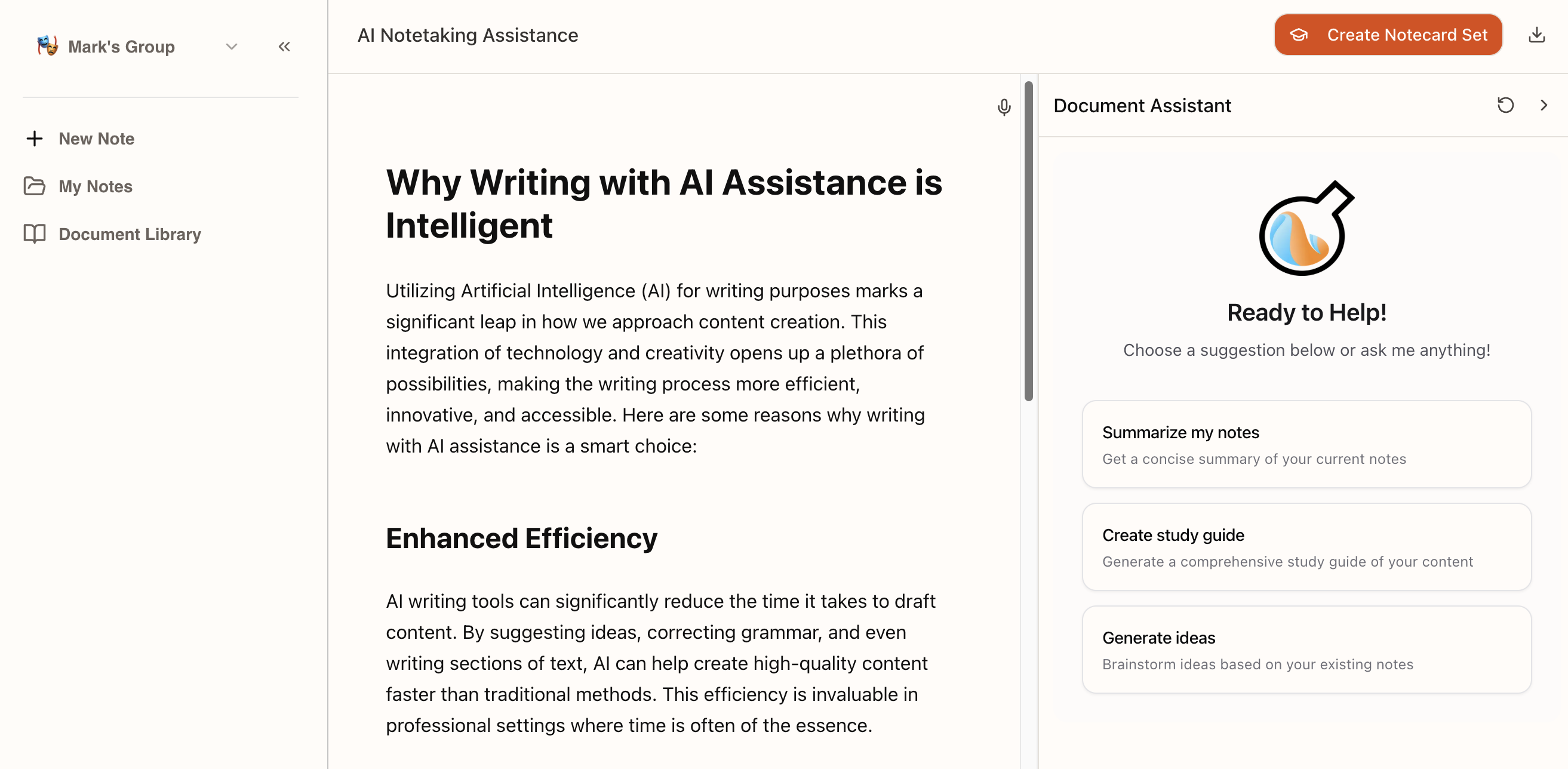
I’m always testing tools that promise to make studying less painful, so when I saw Notilo – an AI study assistant built by the team behind Jenni AI – claim you can “read less, learn more,” I had to try it. It turns your notes, PDFs and even YouTube videos into an interactive tutor. Here’s my honest Notilo review for 2026.
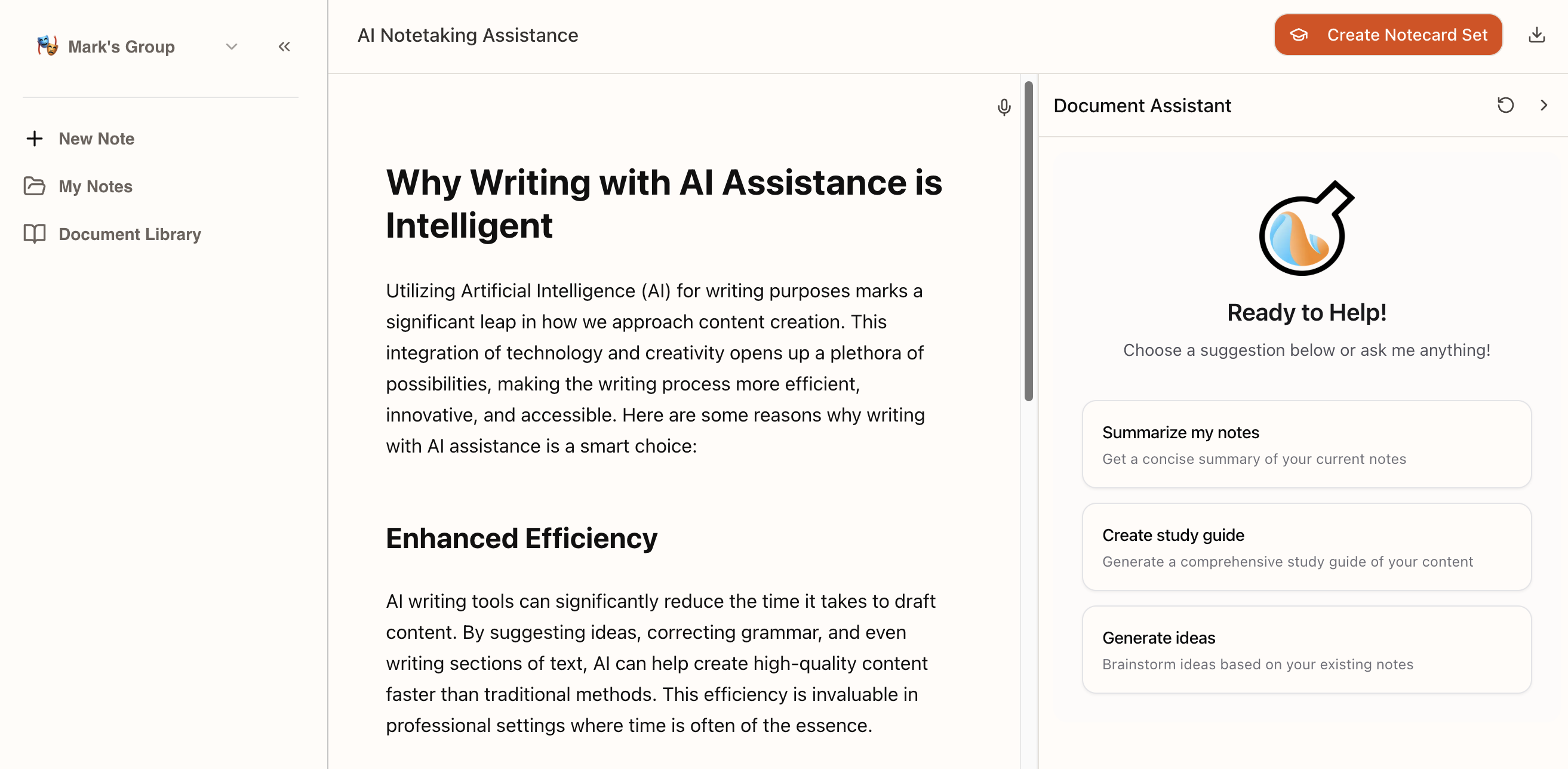
A quick note up front: AI study tools are learning aids, not shortcuts around your school’s rules. Use Notilo to understand your material, and always follow your institution’s academic-integrity policies – don’t submit AI output as your own work where that’s not allowed.
1. What Is Notilo?
Notilo is an AI study assistant (by Jenni AI) that trains on your own notes and documents so you can learn actively instead of just re-reading. You upload readings, lectures, PDFs or YouTube videos, then chat with them, generate AI flashcards, and take adaptive quizzes. The company says it’s used by 100,000+ students. The core promise is 2× faster learning through active recall rather than passive review.
2. Who Is Notilo Best For?
✅ College students juggling heavy reading loads
Upload readings and lectures, then study with AI quizzes and flashcards. It’s built for the busy student who needs to review efficiently before exams.
✅ Visual and video learners
The YouTube-to-notes feature turns videos into organized notes with timestamps and summaries – great if a lot of your learning happens on video.
✅ Anyone who learns better by doing
Flashcards flowing into quizzes support active recall, which research consistently shows beats passive re-reading.
❌ Students who want answers handed to them
Notilo is designed to help you understand your own material with citations – it’s not a way to bypass actually learning.
❌ People who prefer a single all-in-one note app
If you already live in Notion or OneNote and don’t want another tool, the AI layer here may feel like an extra stop.
3. Core Features Breakdown
3.1 Chat With Everything
Ask Notilo about your notes, readings or any topic and get instant, referenced answers pulled from your document or the web. The citations are a nice touch for verifying claims.
3.2 YouTube Videos Into Notes
Paste a video and Notilo turns it into clear, organized notes with key points, timestamps and summaries – so you can study without rewatching the whole thing.
3.3 Flashcards → Quizzes
It auto-generates flashcards from your notes, papers or videos for active recall, then converts them into adaptive quizzes to test what actually stuck before a test.
3.4 Ask Your PDF & Multi-Format Support
Get page-linked answers and concise summaries from any PDF. Notilo supports PDFs, Word docs, PowerPoint, images, audio and YouTube, so most study material fits.
4. Pricing
Notilo offers a free plan to start, plus paid subscriptions. Based on the company’s own FAQ:
- Free plan: basic note-taking and limited AI features – enough to try the core experience.
- Paid plans: unlock unlimited AI words, advanced features and priority support.
- Annual billing: Notilo says annual subscriptions come with significant savings versus monthly.
Exact monthly and annual prices weren’t publicly listed on a standalone pricing page at the time I checked – you’ll see the current amounts once you sign in or start, so confirm them there before subscribing.
5. Pros & Cons
Pros: Trains on your own notes; chat, flashcards and quizzes in one flow; strong YouTube-to-notes and Ask-Your-PDF features; referenced answers; wide file-type support; a genuine free tier to test.
Cons: Public pricing isn’t clearly listed up front; free plan’s AI features are limited; overlaps with note apps you may already use; like any AI tool, outputs should be verified.
6. Notilo vs NotebookLM
Google’s NotebookLM is a strong, free document-grounded AI that’s great for chatting with sources. Notilo leans harder into the study workflow specifically – auto flashcards, adaptive quizzes and YouTube-to-notes aimed at exam prep. If you mainly want to query documents, NotebookLM is compelling and free; if you want an active-recall study loop built for students, Notilo is more purpose-built.
7. Final Verdict: Is Notilo Worth It in 2026?
For students who want to study actively rather than passively re-read, Notilo is a genuinely useful assistant – the flashcard-to-quiz loop and video/PDF tools do save time. The main friction is the unclear upfront pricing, so I’d start on the free plan, see how it fits your workflow, and only upgrade once you know it clicks. Used responsibly, it’s a solid addition to a student’s toolkit.
Frequently Asked Questions
What does Notilo do?
It’s an AI study assistant that turns your notes, PDFs, documents and YouTube videos into an interactive tutor with chat, flashcards and adaptive quizzes.
Is Notilo free?
Yes, there’s a free plan with basic note-taking and limited AI features. Paid plans add unlimited AI words, advanced features and priority support.
Does Notilo plagiarize?
According to Notilo, no – it helps you organize and understand your own content and provides citations and references. Still, follow your school’s academic-integrity rules.
What file types does Notilo support?
PDFs, Word documents, PowerPoint presentations, images, audio files and YouTube videos.
Is there an annual discount?
Yes – Notilo states annual subscriptions come with significant savings compared to monthly billing.
👉 Where to Get Notilo
You can try the free plan and see current pricing here: Visit Notilo.
Affiliate disclosure: This post contains an affiliate link and I may earn a small commission at no extra cost to you. Notilo is a study aid – use it to learn your material and always follow your institution’s academic-integrity policies. Informational only.