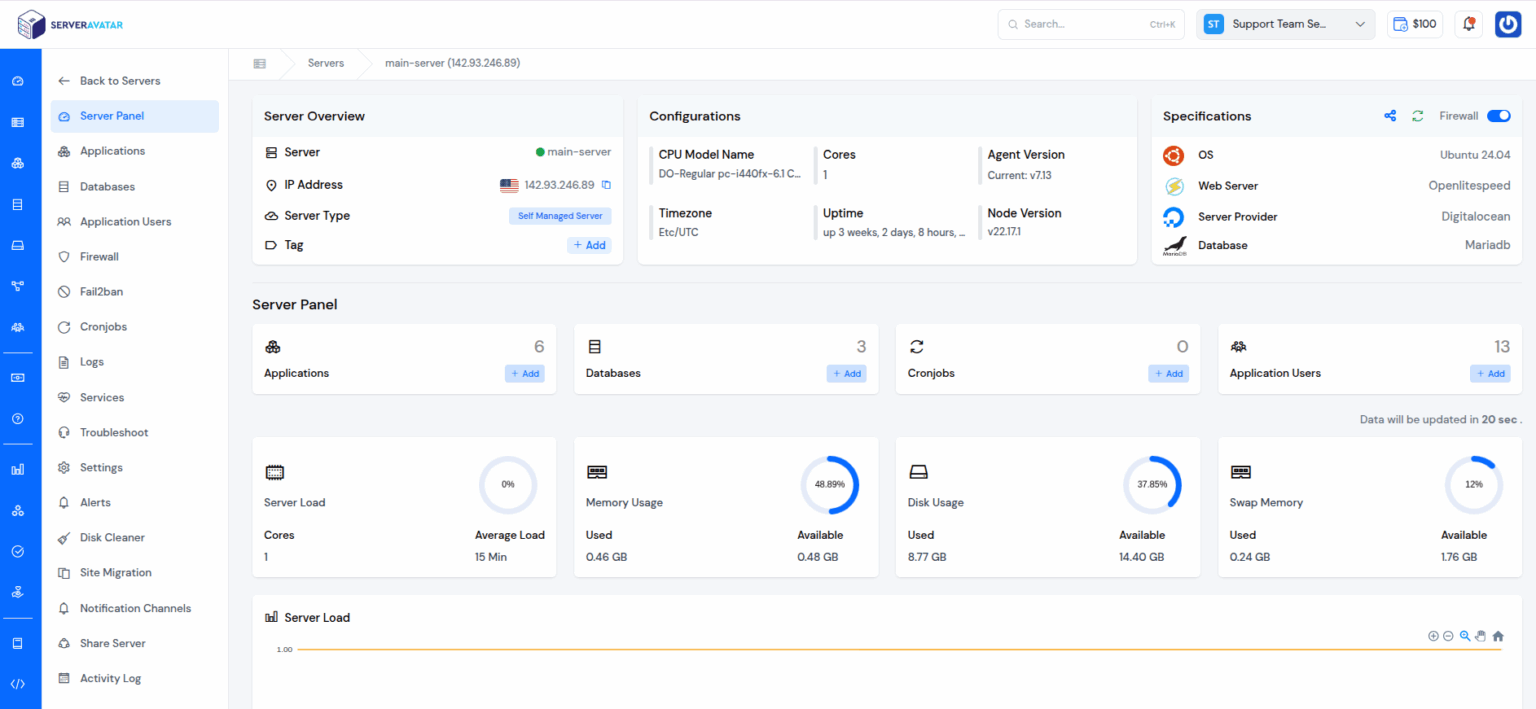
I host a handful of client WordPress and Laravel sites, and I used to dread server management — SSH sessions, config files, SSL renewals, the works. I wanted a control panel that let me run my own cloud servers without living in the terminal. That’s what pulled me toward ServerAvatar. Here’s my honest review for 2026.
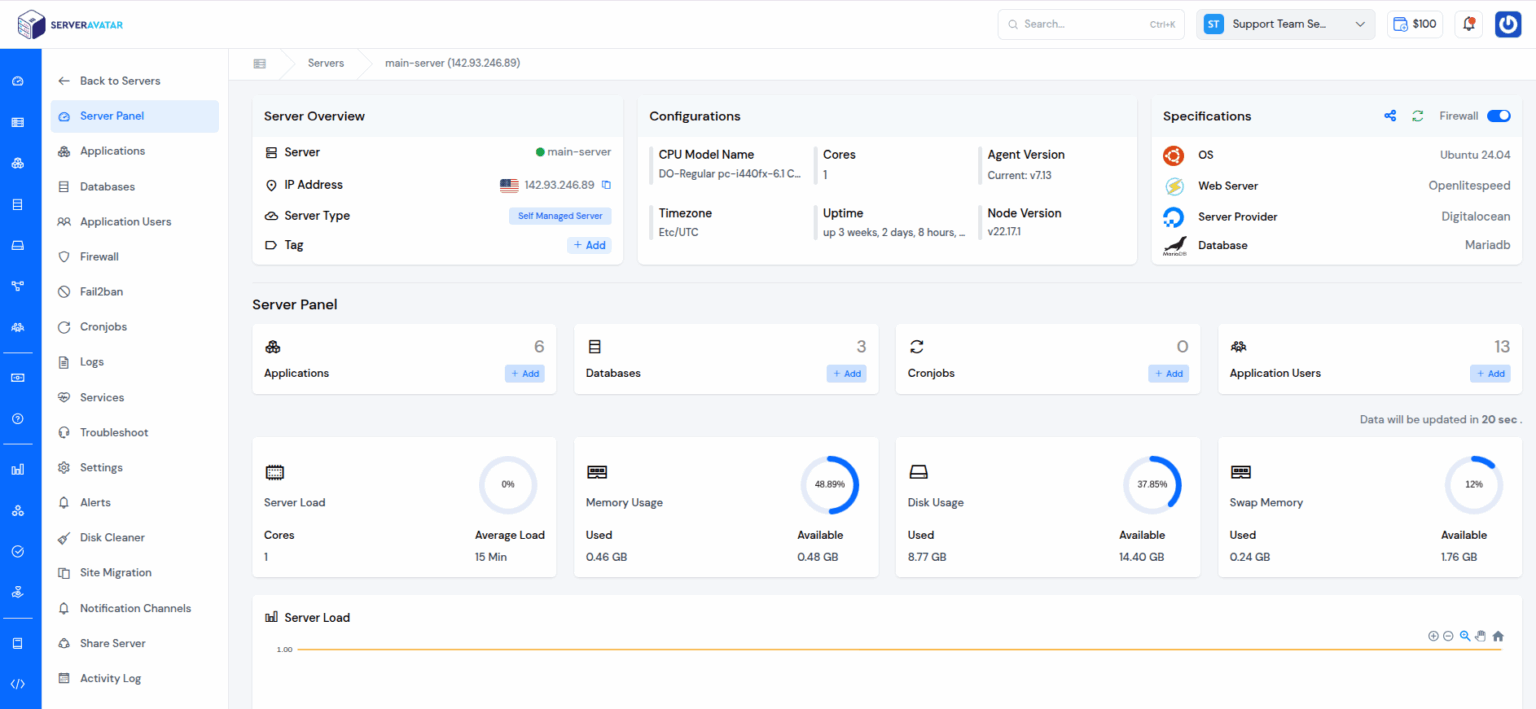
1. What Is ServerAvatar?
ServerAvatar is a fully managed cloud hosting and server management solution for developers and agencies. You connect your own cloud servers (from providers like DigitalOcean, AWS, Vultr and others) and manage every site, app and database from a single dashboard — no complex configuration or steep learning curve. It supports WordPress, PHP, Laravel and Node.js apps with one-click installers, Git deploys, automatic SSL and isolated environments.
2. Who Is ServerAvatar Best For?
✅ Dev and marketing agencies
If you manage many client sites across servers, a single dashboard with white-label and reseller features is a genuine time-saver. This is the core audience.
✅ Developers who want control without the terminal
You keep full control of your own cloud servers but skip the tedious manual setup. That balance is exactly what I wanted.
✅ Freelancers scaling up
The free plan and low entry tiers let solo developers start small and grow into agency features as they add clients.
❌ People wanting fully hosted, hands-off hosting
You still bring your own cloud server. If you want a provider to own the hardware end-to-end (like managed WP hosting), this is a different model.
❌ Absolute non-technical beginners
It removes a lot of complexity, but you still need to understand servers, DNS and deployments at a basic level.
3. Core Features Breakdown
3.1 Connect & Manage Any Cloud Server
Connect servers from major cloud providers and manage resources, automation, security and more from one place — no vendor lock-in on where you host.
3.2 Fast App Deployment
One-click installers, deploy with Git, automatic SSL and isolated environments let you launch secure apps in minutes.
3.3 App Management Tools
A powerful file manager, PHP settings control, and site cloning make day-to-day management like a pro straightforward.
3.4 Security & Team Features
Includes an AI bot blocker, log monitoring suite, team management, and a white-label plus hosting reseller panel on higher tiers.

4. Pricing
ServerAvatar has a free plan plus paid tiers (regular monthly pricing shown; a first-month promo and larger yearly discount apply). Newbie is $12/month for 5 servers with unlimited apps and databases. Pro is $29/month for 25 servers. Master is $49/month for 50 servers. Business is $69/month for unlimited servers. All plans include unlimited apps and databases plus the management and security features. Yearly billing advertises 25% off plus 2 months free; check the live page for current figures.
5. Pros & Cons
Pros: Manage any cloud server from one dashboard; no vendor lock-in; free plan to start; unlimited apps and databases on all tiers; one-click installers, Git deploy and auto SSL; white-label and reseller features for agencies.
Cons: You still supply your own cloud server; requires basic server knowledge; top features like white-label are on higher tiers; not for those wanting fully hands-off hosting.
6. ServerAvatar vs Cloudways
Cloudways bundles the server and management together, which is simpler but ties you to their marked-up hosting. ServerAvatar separates the two: you buy raw cloud servers directly (often cheaper) and pay ServerAvatar just for management, keeping full control and portability. If you want everything in one bill, Cloudways is easier; if you want lower server costs and no lock-in, ServerAvatar is the smarter play.
7. Final Verdict: Is ServerAvatar Worth It in 2026?
For agencies and developers who run their own cloud servers, ServerAvatar hits a real sweet spot: the control of self-managed infrastructure with the convenience of a polished panel. Unlimited apps and databases on every tier and a genuine free plan make it easy to start, and the white-label reseller tools justify the higher plans for growing agencies. If you’re comfortable bringing your own server, it’s an excellent, cost-effective management layer.
Frequently Asked Questions
Does ServerAvatar host my sites?
No — you connect your own cloud servers (e.g. DigitalOcean, AWS, Vultr) and ServerAvatar manages them from one dashboard, so you keep control and avoid lock-in.
How much does ServerAvatar cost?
There is a free plan, then Newbie at $12/mo, Pro at $29/mo, Master at $49/mo and Business at $69/mo, all with unlimited apps and databases.
What can I deploy with ServerAvatar?
WordPress, PHP, Laravel and Node.js apps, using one-click installers, Git deploys, automatic SSL and isolated environments.
Is ServerAvatar good for agencies?
Yes — white-label, hosting reseller panel, team management and multi-server control make it well suited to dev and marketing agencies.
Do I need to be technical to use it?
It removes most manual config, but a basic understanding of servers, DNS and deployment is still helpful.
👉 Where to Get ServerAvatar
You can start free and explore the plans here: Visit ServerAvatar.
Affiliate disclosure: This post contains an affiliate link. If you sign up through it, I may earn a commission at no extra cost to you. I only recommend tools I believe offer real value.